
Download Bee Invoicing – Simple Invoicing Software for Freelancers & Small Business
Overview
Bee Invoicing is a lightweight, low‑cost invoicing program designed specifically for freelancers, consultants, and small businesses that want a straightforward way to generate professional invoices without the overhead of a subscription‑based service. The core philosophy behind Bee Invoicing is “railroading” – a step‑by‑step workflow that guides the user through every required field before allowing progression to the next stage. This method eliminates common mistakes such as missing dates, forgotten line items, or incomplete tax calculations.
While the interface may feel repetitive for power users, the disciplined approach ensures that each invoice is accurate, consistent, and ready for immediate sending. Bee Invoicing does not boast the deep customization options of enterprise‑grade tools, but it compensates with an intuitive preview function that lets beginners see exactly how their invoice will appear before finalizing it. Users can easily add their own logo, company name, and custom footer text, keeping the branding element intact without the need for complex template editors.
In short, Bee Invoicing offers a secure, offline‑first solution that reduces the learning curve for invoicing newcomers while still meeting the essential compliance requirements for tax and record‑keeping.
Key Features
- Step‑by‑step railroading workflow – forces completion of mandatory fields (date, client, amount) before moving forward.
- Live preview mode – instantly shows how changes affect the final invoice layout.
- Logo and custom text insertion – supports PNG, JPG, or SVG logos and editable footer notes.
- One‑click PDF export – generates a print‑ready PDF that can be emailed directly from the app.
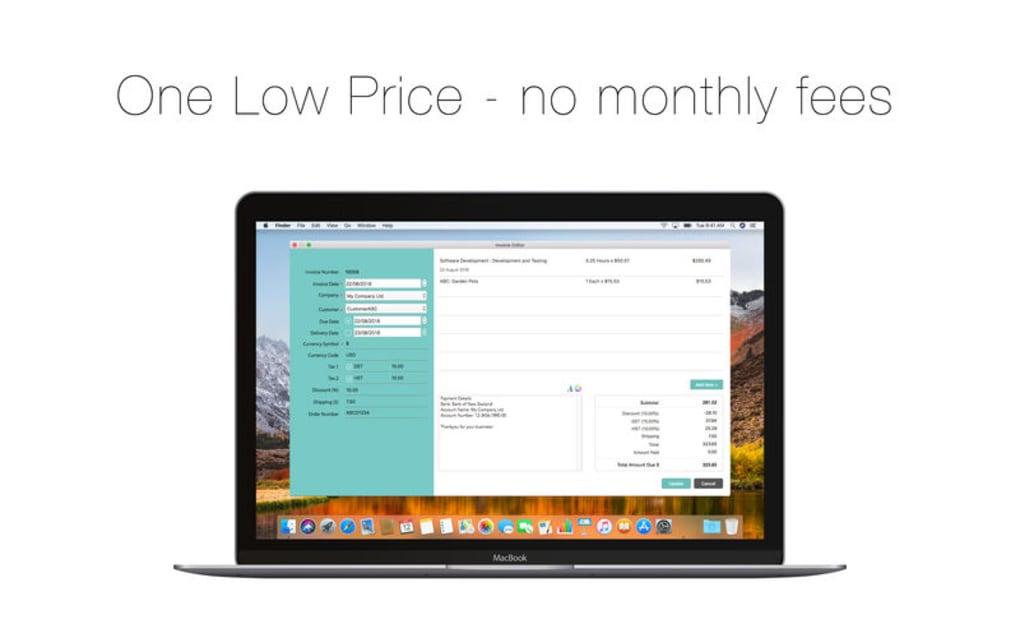
- Simple tax calculator – adds VAT/GST based on a configurable percentage.
- Offline operation – all data is stored locally, ensuring privacy and no reliance on internet connectivity.
- Low‑price perpetual license – a one‑time payment eliminates monthly subscription fees.
- Multi‑currency support – select from major currencies for international freelancers.
- Export to CSV – easy import into accounting tools like QuickBooks or Xero.
- Automatic invoice numbering – sequential numbers prevent duplication and simplify tracking.
Installation & Usage Instructions
Installing Bee Invoicing is intentionally straightforward. The program is available for Windows, macOS, and Linux, and each installer is signed with a trusted certificate to guarantee a secure download. Follow these steps to get started:
- Download the installer from the official website. Choose the version that matches your operating system (Windows .exe, macOS .dmg, or Linux .deb/.rpm).
- Run the installer with administrator privileges. The wizard will guide you through accepting the license agreement, selecting an installation folder, and creating a desktop shortcut.
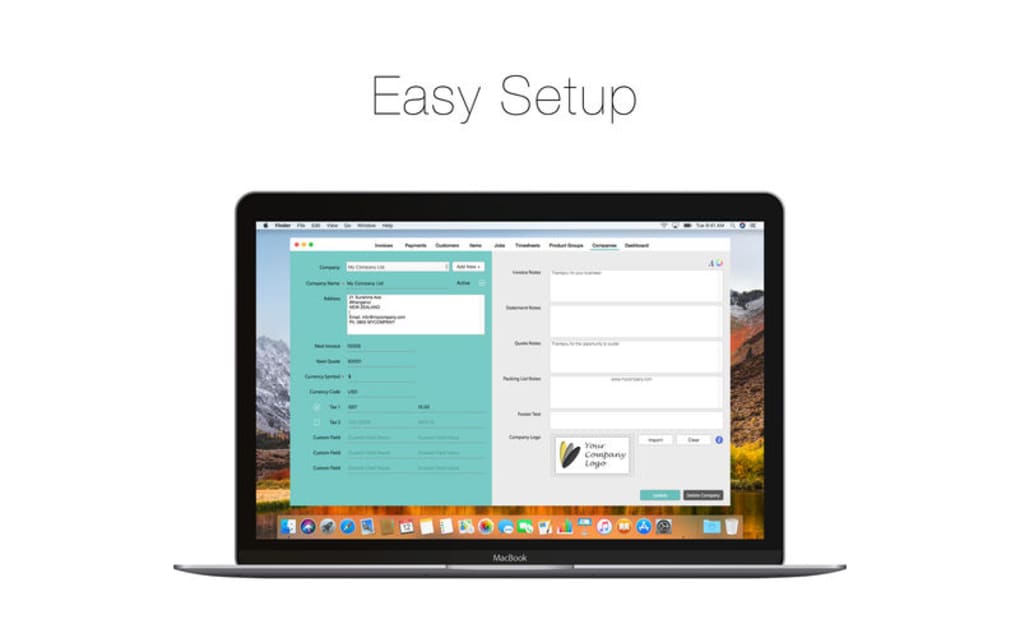
- Launch Bee Invoicing from the shortcut or start menu. The first launch will prompt you to set up basic company information – name, address, tax ID, and preferred currency.
- Create your first client profile by clicking “Add Client.” Fill in the client’s name, contact email, and billing address. The railroading engine will not let you proceed until all required fields are completed.
- Start a new invoice by selecting “New Invoice.” The wizard will walk you through date selection, item description, quantity, unit price, and tax calculation. Each step is locked until the previous one is finished, guaranteeing that no critical data is omitted.
- Preview your invoice using the “Preview” button. Adjust your logo or footer text if needed, then re‑preview to confirm the layout.
- Export to PDF or send directly via email using the built‑in “Send” feature. The PDF is automatically attached to an email draft populated with the client’s address.
- Save and back up your invoice database regularly. Bee Invoicing stores files in a local “BeeData” folder, which can be copied to external storage or a cloud backup service for redundancy.
Because Bee Invoicing runs locally, you do not need to worry about internet outages or data‑privacy concerns associated with SaaS platforms. The simple, repeatable process makes it ideal for users who prefer a predictable workflow over a feature‑rich but confusing interface.
Compatibility, Pros & Cons
Bee Invoicing is compatible with the major desktop operating systems: Windows 10/11 (64‑bit), macOS 10.15 Catalina and later, and popular Linux distributions (Ubuntu, Fedora, Debian). Mobile versions are not currently offered, but the generated PDFs can be opened on any Android or iOS device for viewing or forwarding.
Pros
- Highly intuitive step‑by‑step workflow reduces human error.
- No recurring subscription – a one‑time, affordable purchase.
- Offline‑first design safeguards sensitive financial data.
- Quick preview and PDF export accelerate the invoicing cycle.
- Simple tax and multi‑currency handling meets basic international needs.
- Easy logo insertion keeps branding consistent without complex templates.
Cons
- Lacks deep customization; power users cannot manually rearrange invoice sections.
- No built‑in accounting integration beyond CSV export.
- No mobile app; users must rely on desktop or laptop computers.
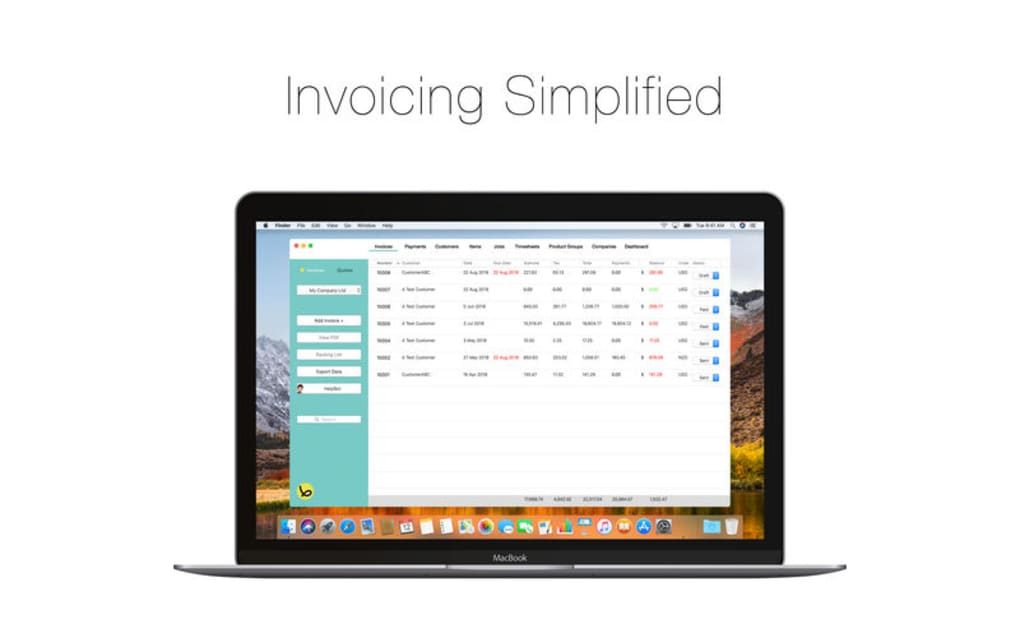
- Limited reporting features – only basic invoice listings are provided.
- Interface can feel repetitive for users who generate many invoices daily.
Overall Verdict: Bee Invoicing delivers a no‑frills, reliable invoicing experience that suits freelancers and small firms looking for a low‑cost, secure solution. While it sacrifices advanced customization and mobile convenience, its railroading workflow and offline security make it a compelling choice for anyone who values accuracy over flashy features.
Frequently Asked Questions
Is Bee Invoicing truly free or does it require a purchase?
Bee Invoicing offers a free trial with limited features, but the full version is available for a one‑time purchase. There are no hidden monthly fees or subscription plans.
Can I customize the invoice layout beyond adding a logo?
Customization is intentionally limited to keep the workflow simple. You can add a logo, company name, and footer text, but you cannot rearrange individual line‑item fields or change the overall template structure.
How does Bee Invoicing handle tax calculations for different countries?
The program includes a basic tax calculator where you set a default percentage (e.g., 20 % VAT). It applies this rate to the subtotal automatically. For more complex tax rules, you may need to adjust the amount manually after export.
Is my invoicing data stored securely?
All data is saved locally on your computer in an encrypted folder. Because there is no cloud component, you retain full control over your financial records, reducing exposure to data breaches.
Can I import existing client lists or past invoices?
Bee Invoicing supports CSV import for client contacts and invoice history. Simply format your data according to the template provided in the Help menu and import it via the “Data Management” section.
Conclusion & Call to Action
If you are a freelancer, consultant, or owner of a small boutique firm looking for a dependable, low‑cost invoicing tool, Bee Invoicing checks the essential boxes: secure offline storage, error‑proof railroading workflow, and a clear preview that lets you spot mistakes before they happen. While it may not satisfy power users craving deep customization or mobile‑first access, its simplicity is precisely what makes it attractive to newcomers and those who value consistency over complexity. Ready to streamline your billing process without committing to a monthly fee? Download Bee Invoicing today, set up your first client, and experience how a guided invoice can save you time, reduce errors, and keep your cash flow healthy.







